
01
P&L calendar
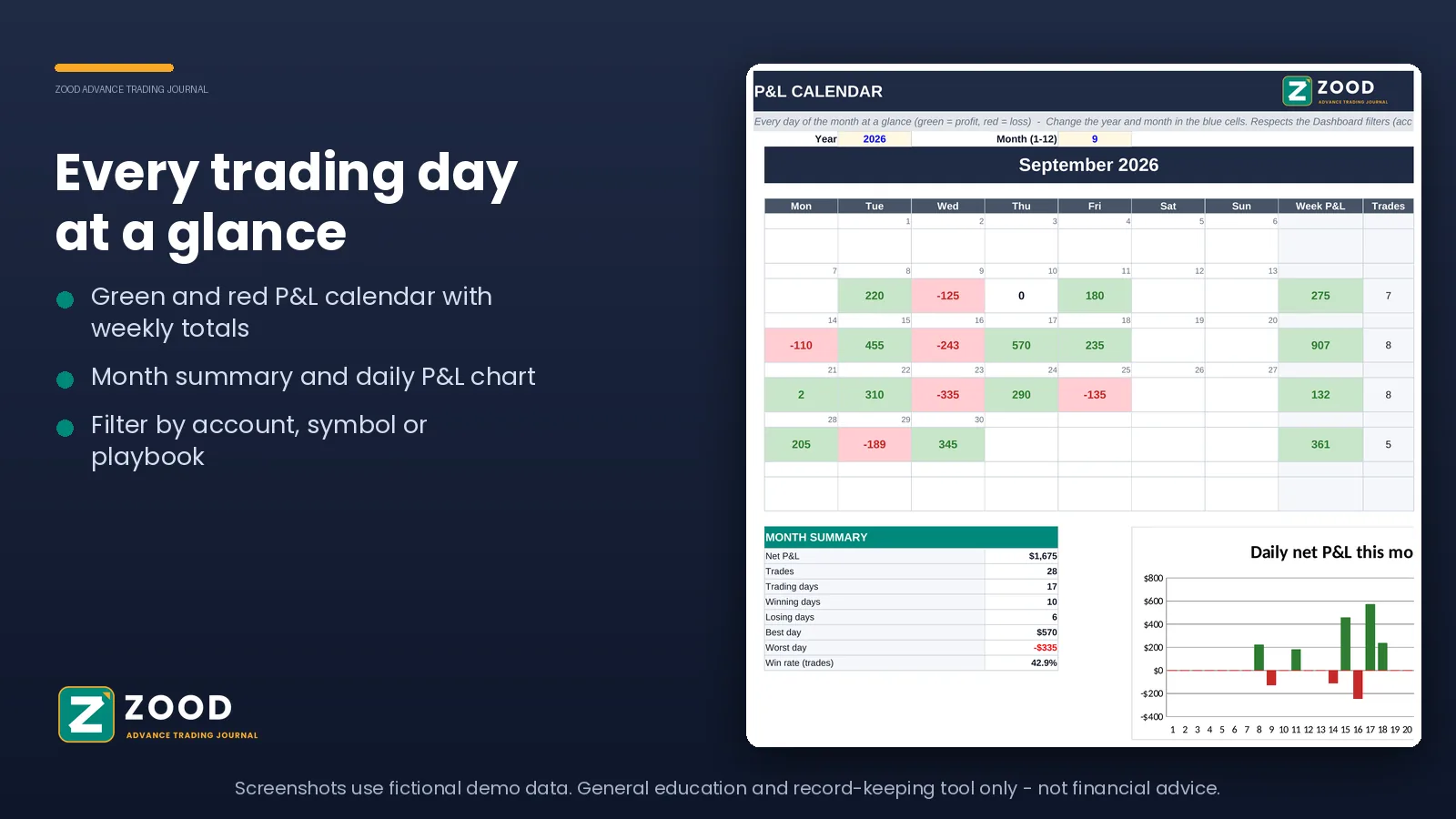
Every day of the month at a glance, with weekly totals and a monthly summary, so you can see your good and bad stretches without digging through rows.
Excel trading journal
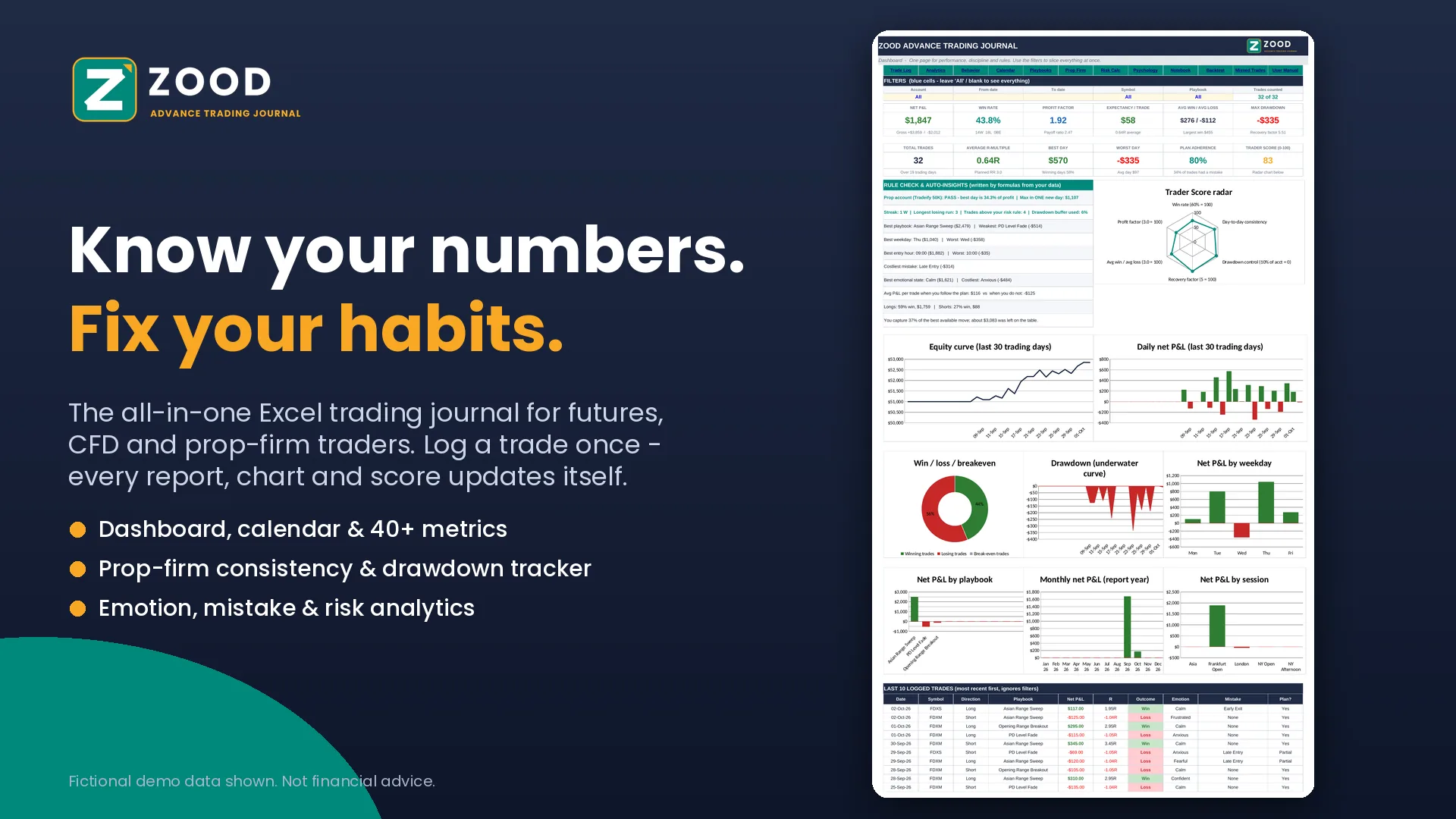
The all-in-one Excel journal for futures, CFD and prop-firm traders. Log a trade once, and every report, chart and score updates itself.
We could not start the payment. Please try again, or email us at coachvishalzood@gmail.com and we will help.
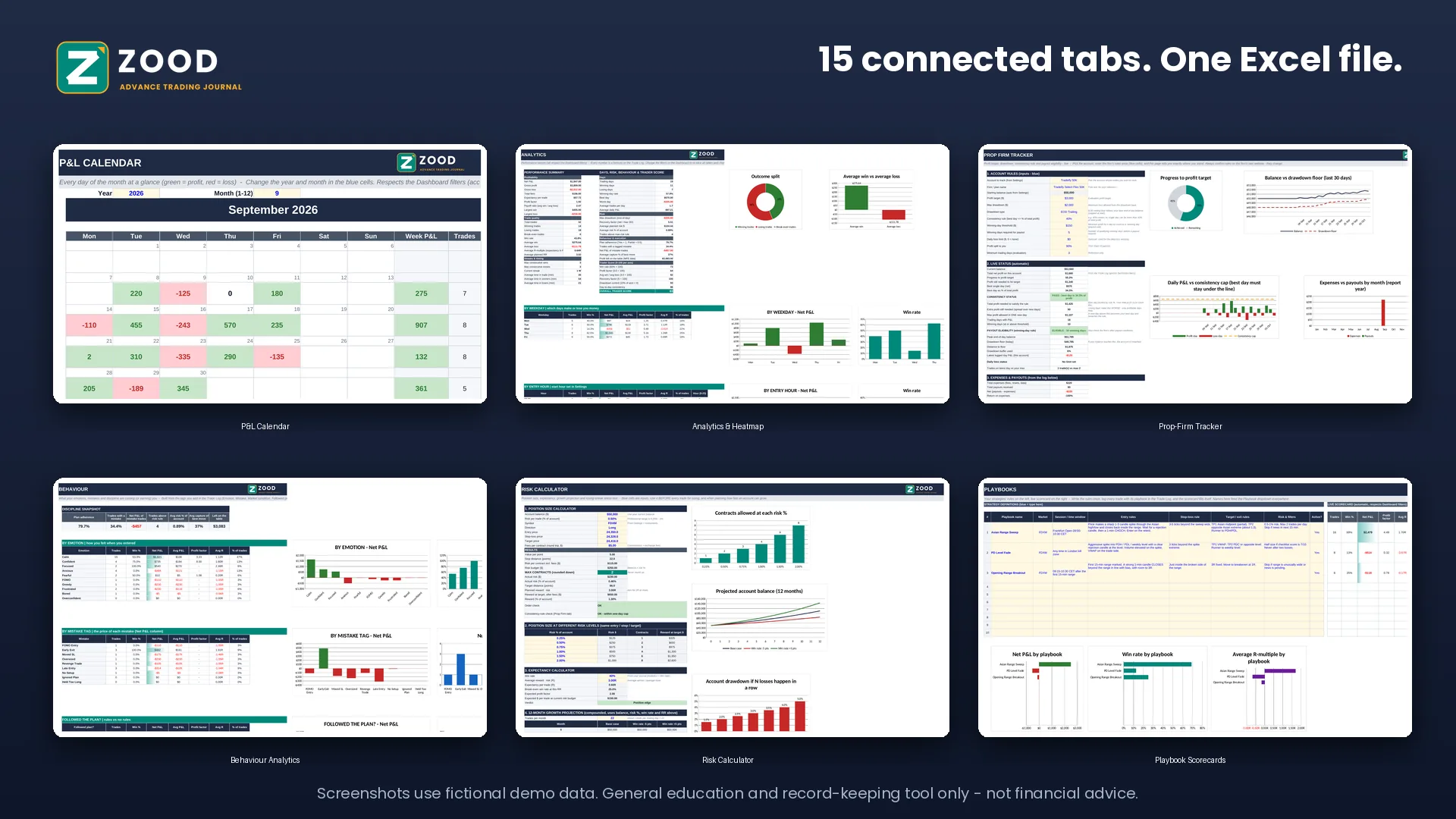
15 connected tabs
You log each trade once in the Trade Log. The dashboard, calendar, analytics, behaviour reports and playbook scorecards all calculate from that one table.
What is inside
01
Every day of the month at a glance, with weekly totals and a monthly summary, so you can see your good and bad stretches without digging through rows.
02
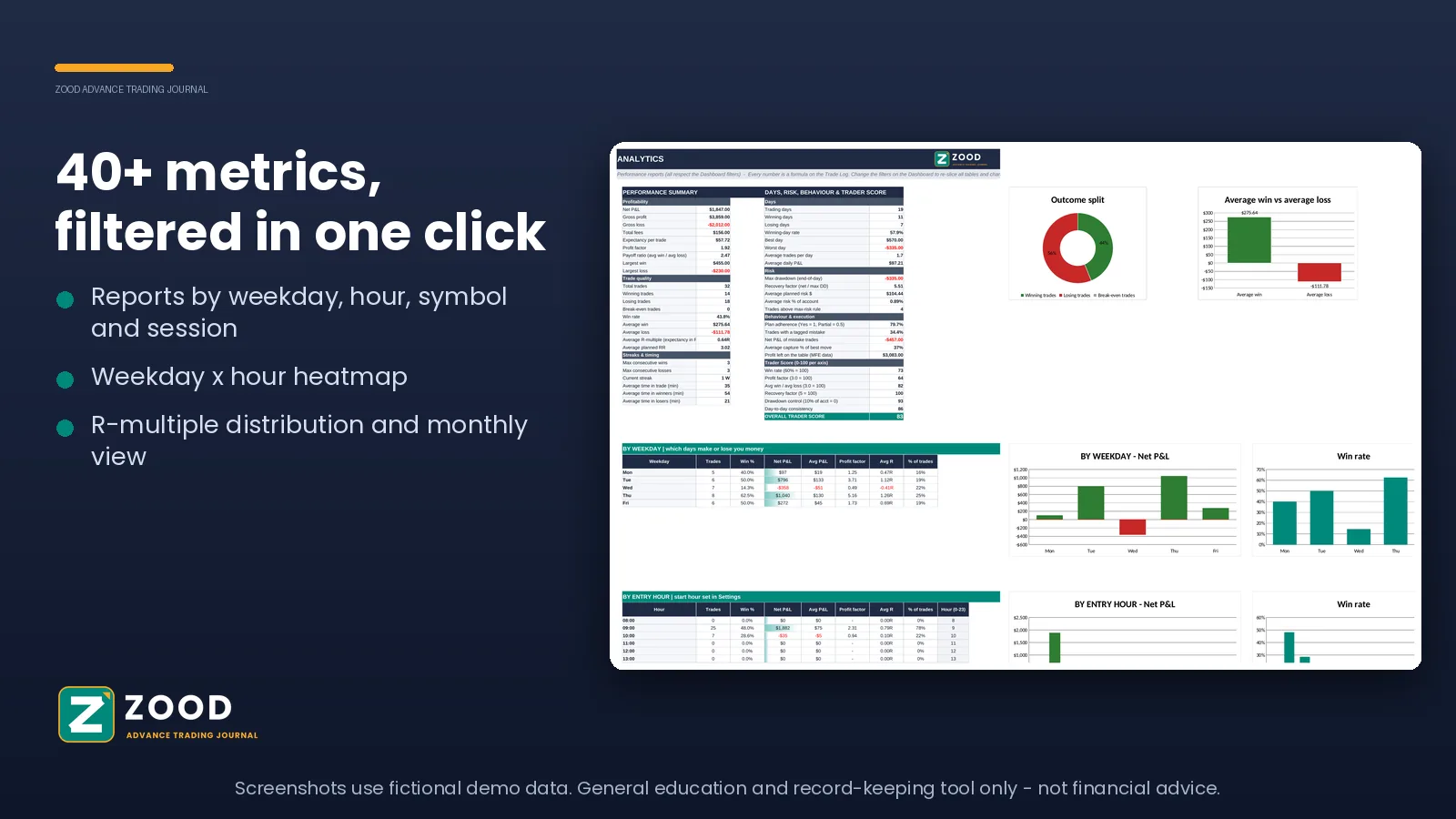
More than 40 metrics, plus reports by weekday, entry hour, symbol, session and more. The heatmap shows which days and hours work for you and which do not.
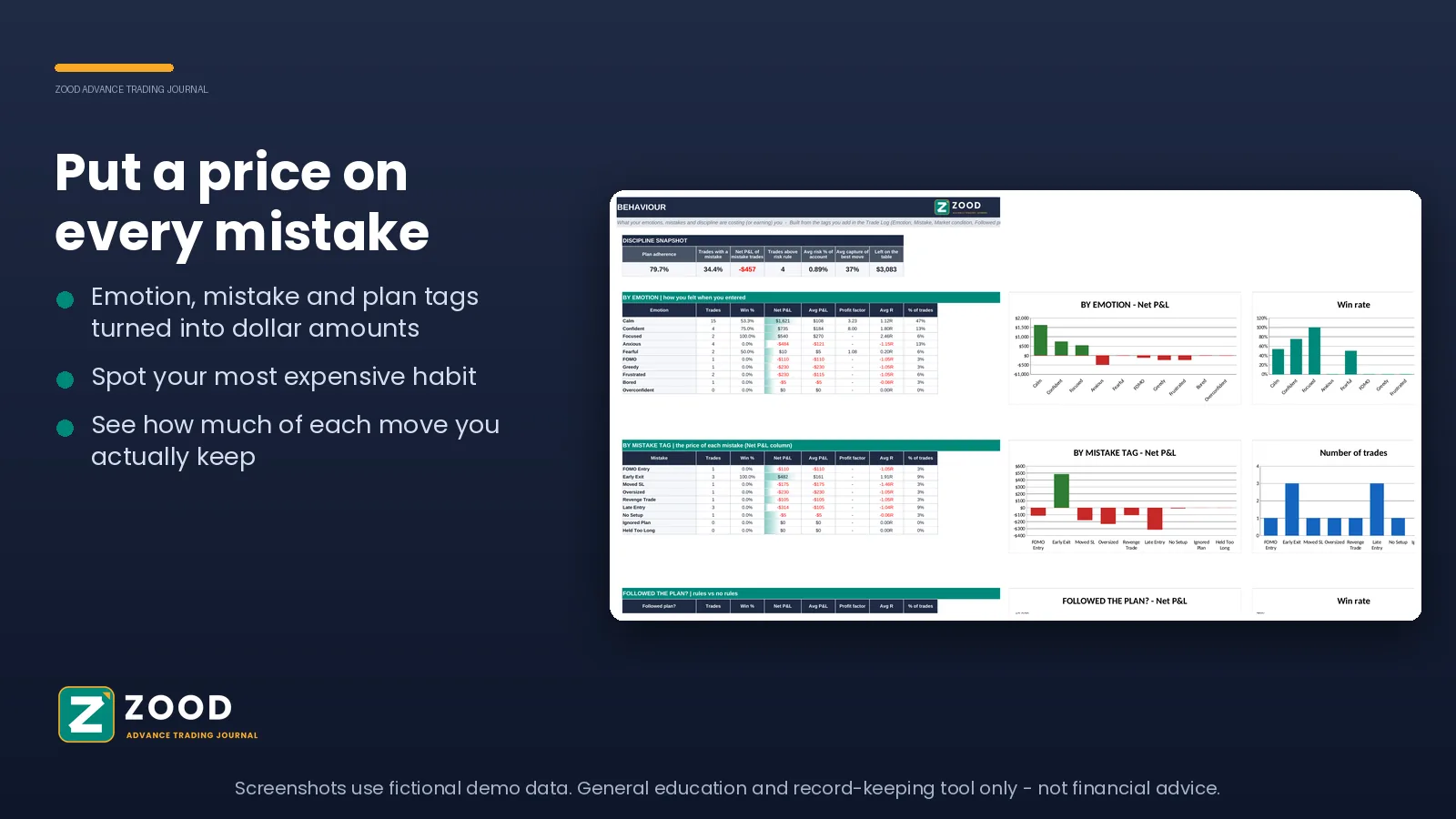
03
Tag your emotions and mistakes on each trade, and the journal turns them into money amounts. You see which habit costs you the most.
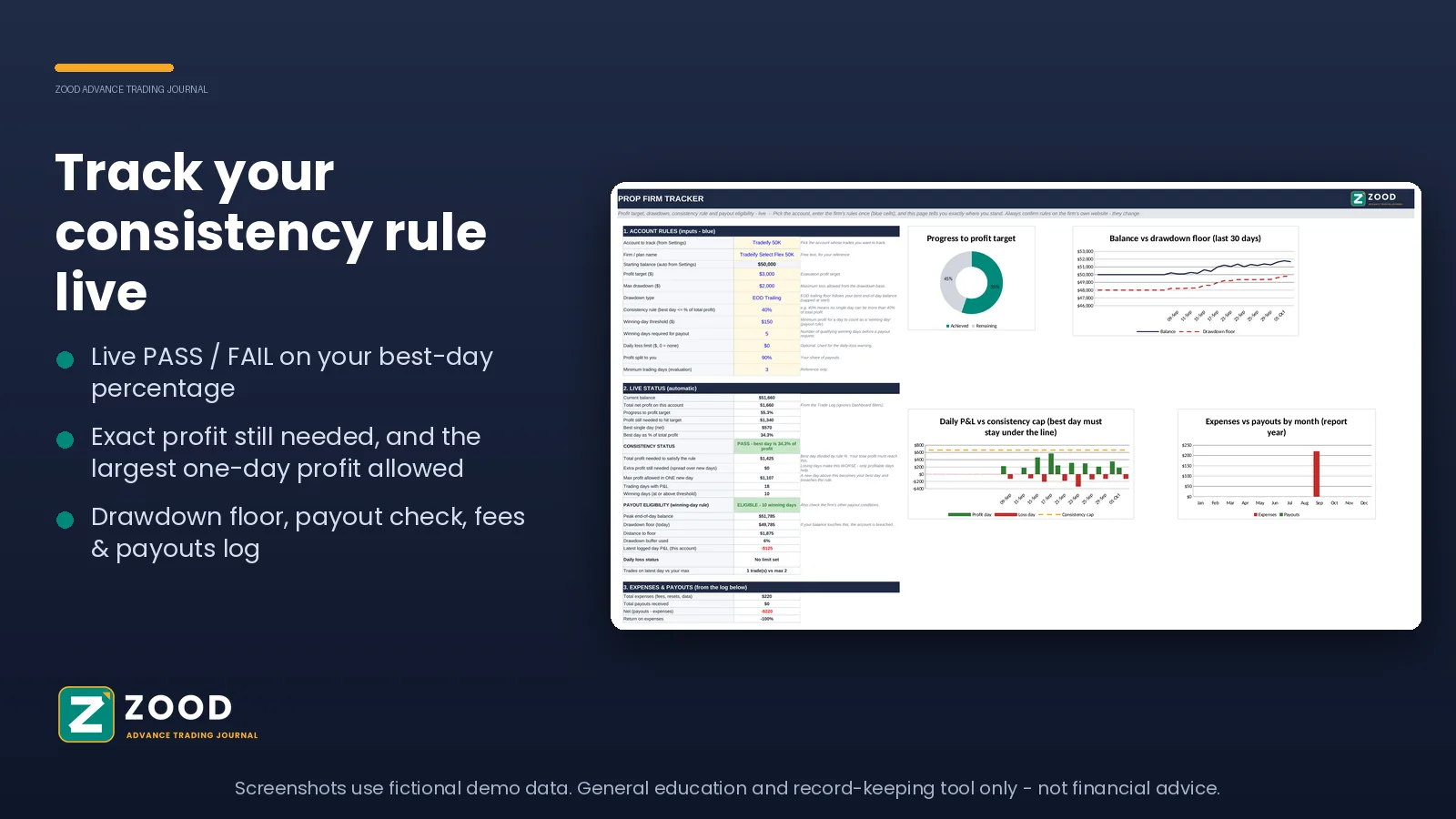
04
Profit target, drawdown floor, the consistency rule and payout check, all calculated live from your trades. Always confirm your firm’s current rules on their own website.
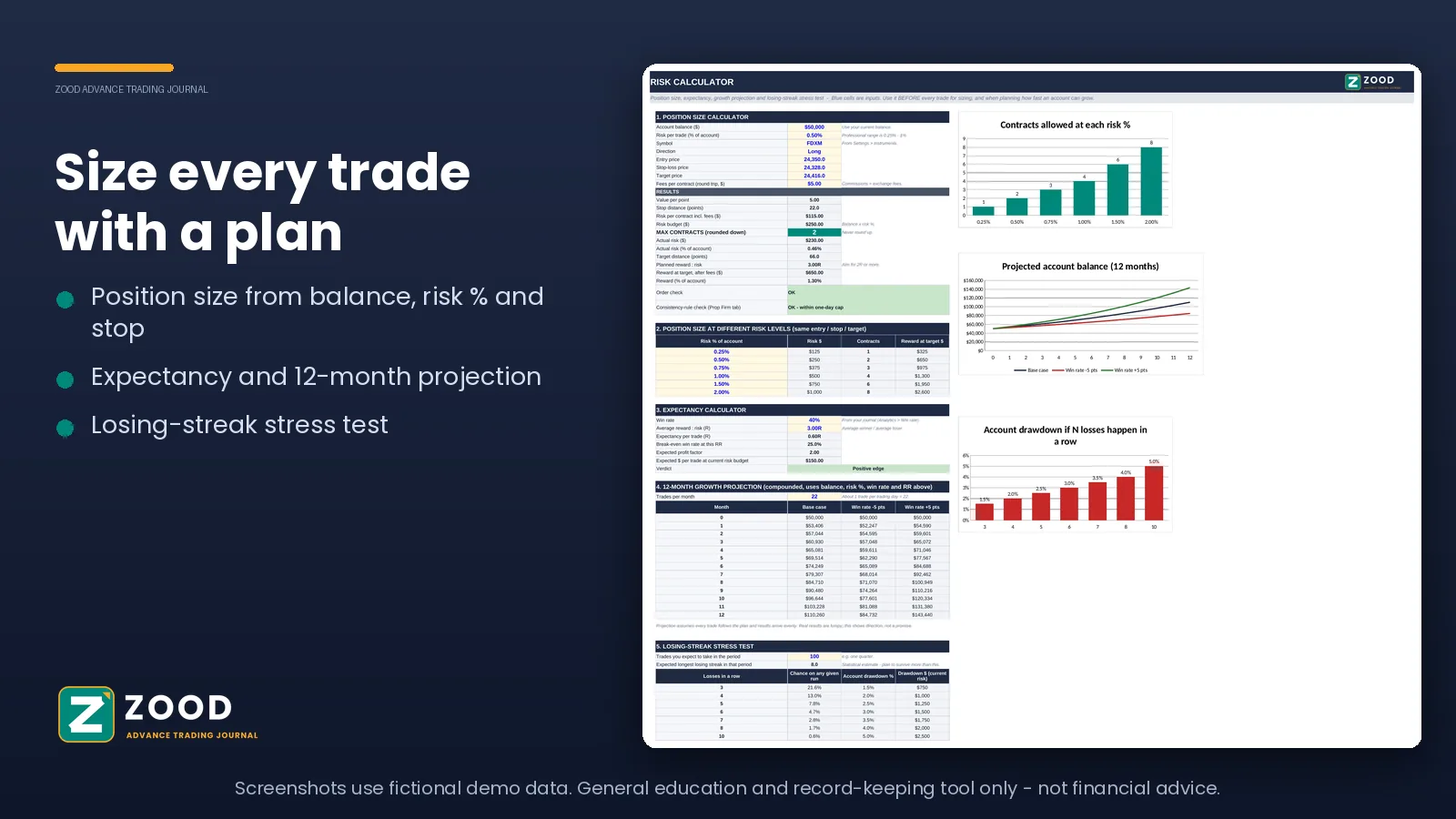
05
Work out position size before you enter, compare risk levels, test an expectancy, and see what a run of losses would do to your account.
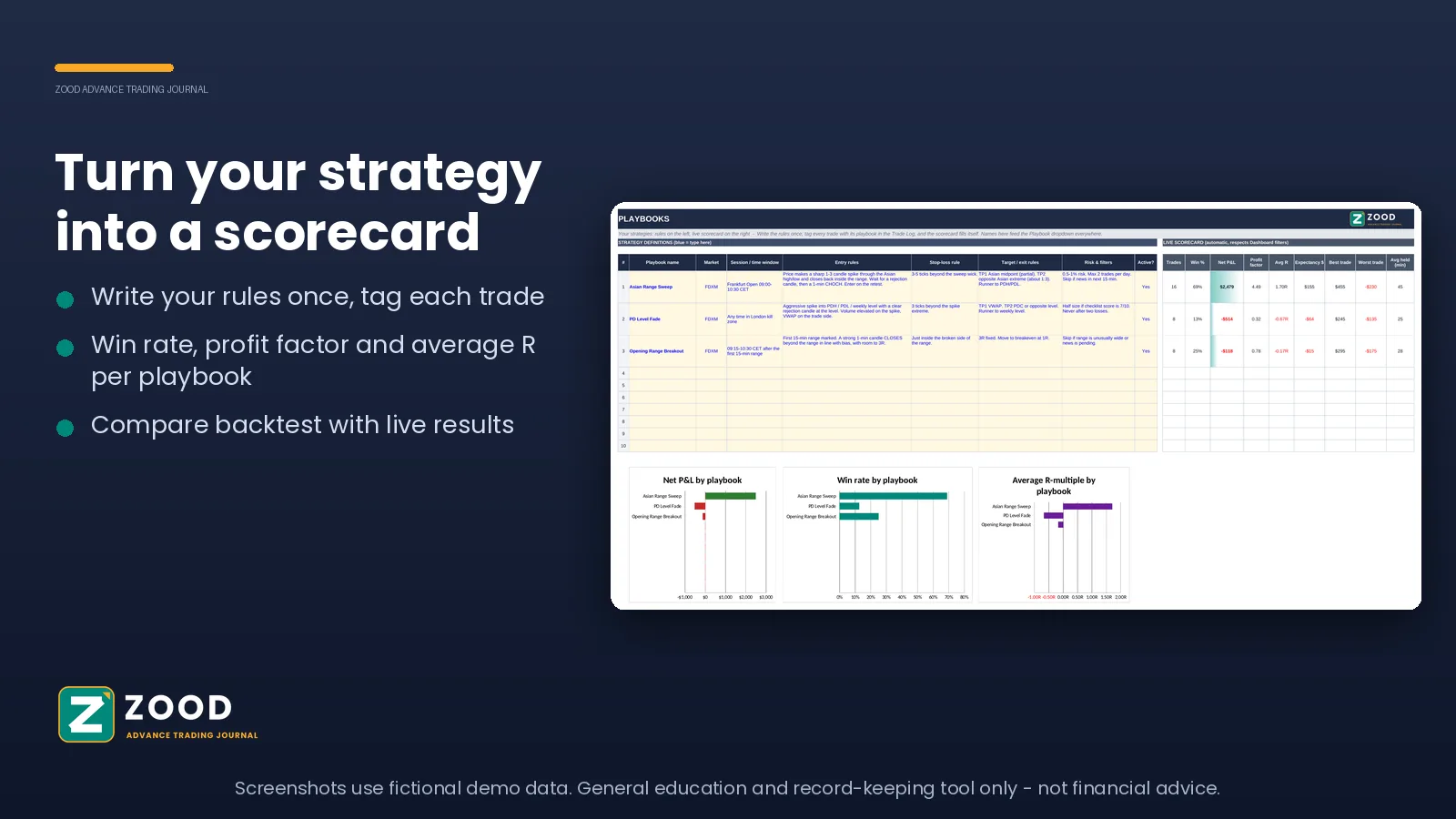
06
Write your strategy rules once. Every playbook gets its own live scorecard, so you can see which of your setups you actually do well.
What you get
$29 one-time. No subscription.
Secure payment by Stripe. Personal, single-user licence. Digital product, all sales are final. By buying you agree to our Terms and Privacy Policy.
It cannot connect to your broker, so you type or paste your trades yourself. It has no tick-by-tick replay, so use TradingView’s bar replay and write what you learned in the notes.
Microsoft Excel 2019, 2021 or Microsoft 365 (Windows or Mac), or LibreOffice Calc. It needs no macros, no add-ins and no internet connection.
You pay on Stripe’s secure page, then land on a thank-you page and the download starts. We also email you a link, so you can download it again whenever you need.
Two Excel files: the ZOOD Advance Trading Journal, ready for your own trades, and a demo version filled with sample data to show you how everything works.
Microsoft Excel 2019, 2021 or Microsoft 365 on Windows or Mac. LibreOffice Calc also works. Older Excel versions such as 2016, Google Sheets and phone apps are not supported.
No. You type or paste your trades in once. The journal has no macros and sends no data anywhere, so your trades stay in the file on your own device.
The Trade Log holds 500 trades, with separate logs for backtests and missed trades. The User Manual explains how to extend it.
This is a digital product that is delivered straight away, so all sales are final and there are no refunds. Please read this page and the sample screenshots carefully before you buy.
No. It is a personal, single-user licence. You can keep backups for yourself, but you may not share, resell or distribute the file.
No. The journal is a record-keeping and analysis tool. It does not give trade tips or buy and sell calls, and past results do not predict future results.
The journal is a general education and record-keeping tool. It is not financial, investment, tax or legal advice and not a recommendation to buy or sell anything. Trading leveraged products involves a high risk of loss. Screenshots use fictional demo data. See our Disclaimer.